

Description
Download Movcl AI Video Creator – AI video generator, photo to video, AI effects, video creation tool, AI animation, creative tool
Overview
Movcl AI Video Creator is a desktop software designed to transform static photos into dynamic videos using artificial intelligence. The application enables users to enhance visual storytelling by applying AI-driven effects to personal images, making it ideal for content creators, social media users, and individuals seeking creative expression. By leveraging AI technology, the software simplifies the video creation process, removing the need for advanced editing skills or technical knowledge. It is particularly useful for generating engaging content for platforms like Instagram, TikTok, and YouTube, where dynamic visuals capture attention quickly.
The tool supports a variety of trending AI effect templates, including superhero themes, dance animations, and stylized motion effects, allowing users to customize their videos according to personal or brand-specific aesthetics. The developer, Movcl, has focused on delivering a streamlined experience that emphasizes speed and ease of use. While the software is primarily marketed as a creative utility, its functionality extends to personal projects, marketing materials, and digital storytelling. The application is designed for users who want to produce high-quality videos with minimal effort, offering a practical solution for those looking to elevate their visual content.
Key Features & Capabilities
- Photo-to-Video Conversion – Users can upload any static image and instantly generate a short video with AI-driven motion effects, transforming stills into lively visual content.
- AI Effect Templates – A library of pre-designed templates enables users to apply trending visual styles such as dance animations, superhero transformations, and cinematic motion sequences.
- Ultra-Fast Rendering – The software processes video generation in as little as 10 seconds, significantly reducing the time required to create shareable content.
- High-Definition Export – Videos are rendered in high definition, ensuring crisp visuals suitable for social media and digital presentations.
- Regular Template Updates – The effect library is continuously refreshed, providing users with access to new and trending visual styles over time.
These features make Movcl AI Video Creator a practical solution for users who want to quickly produce engaging videos without manual animation or complex editing. For example, a user can upload a family photo and apply a dance effect to create a fun, animated memory. Similarly, a social media manager could generate promotional clips by converting product images into animated videos using a cinematic template. The AI-driven workflow ensures consistent results across different devices and image types.
User Interface, Workflow & Performance
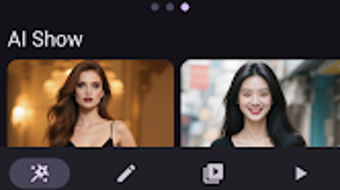
The user interface of Movcl AI Video Creator is designed with simplicity and efficiency in mind. The main screen features a clean layout with intuitive navigation, allowing users to upload photos, browse templates, and initiate video generation with minimal clicks. The workflow is linear and logical: upload image → select effect → render → export, making it accessible even for users with no prior experience in video editing.
Navigation is streamlined, with clearly labeled buttons and a preview window that displays the selected effect in real time. The application maintains a responsive interface during processing, though specific performance data such as CPU or RAM usage were not provided. The developer did not specify resource usage details, so performance may vary depending on device capabilities. Stability during rendering and export was not documented, but the software’s focus on speed suggests optimized processing. Overall, the workflow is efficient and user-friendly, aligning with the tool’s goal of enabling fast, creative output.
Compatibility & System Requirements
Movcl AI Video Creator is available for Android, as specified in the release details. The software has a file size of 48.6 MB, indicating a lightweight installation that should not significantly impact device storage. The version number is 1.1.2, and the release date is March 15, 2024. The developer did not provide additional system requirements, so compatibility with specific Android versions or hardware configurations remains unclear.
Exact system requirements were not listed, and information about hardware specifications such as RAM, processor, or GPU support was not included. Users are advised to ensure their device meets standard Android operating system standards for running modern applications. The application may require access to camera and storage permissions to function fully, though this was not explicitly stated. Platform compatibility information is limited to Android, and no support for Windows, Mac, or other desktop operating systems was mentioned.
Pros and Cons
Pros
- Effortless photo-to-video conversion using AI technology
- Fast rendering times, as low as 10 seconds per video
- High-definition video export for professional-quality output
- Regularly updated library of trending AI effects
- Intuitive interface suitable for beginners and experienced users
Cons
- No information provided on system requirements or hardware compatibility
- Limited to Android platform; no desktop or cross-platform availability
- Price point of $4.99 may be considered high for a single-use tool
- Exact performance metrics such as CPU or memory usage were not disclosed
- Dependence on pre-designed templates may limit creative control
FAQ Section
Is Movcl AI Video Creator available for Windows or Mac?
Based on the provided information, Movcl AI Video Creator is currently only available for Android devices. There is no official support for Windows, Mac, or other desktop operating systems.
Is the software safe to download and use?
The application is developed by Movcl and distributed through official Android channels. While no security details were provided, it is recommended to download the software from trusted sources to ensure safety and avoid unauthorized modifications.
How often are new AI effects added?
The software features a constantly updated library of effects, ensuring users have access to fresh and trending visual styles. However, the frequency of updates was not specified.
Does Movcl AI Video Creator require an internet connection?
While the provided details do not confirm connectivity needs, AI processing and template access may require an online connection. Offline functionality was not mentioned.
What is the license type for Movcl AI Video Creator?
The software is sold at a one-time price of $4.99, suggesting a perpetual license. However, specific licensing terms were not provided in the input.
Final Thoughts + CTA
Movcl AI Video Creator stands out as a powerful and accessible tool for transforming photos into animated videos with minimal effort. Its AI-driven approach, fast rendering, and high-quality output make it a compelling choice for users seeking to enhance their visual content for social media or personal use. While the lack of desktop support and limited system information may be a drawback for some, the application delivers on its core promise: creative video generation with ease.
It is best suited for Android users who value speed, simplicity, and trend-driven visuals. Whether for fun, branding, or digital storytelling, Movcl AI Video Creator offers a modern solution to a common creative challenge. For those looking to bring their photos to life with AI-powered animation, this tool provides a compelling starting point.
Download Movcl AI Video Creator now
Guides & Tutorials for Movcl AI Video Creator
How to install Movcl AI Video Creator
- Click the Preview / Download button above.
- Once redirected, accept the terms and click Install.
- Wait for the Movcl AI Video Creator download to finish on your device.
How to use Movcl AI Video Creator
This software is primarily used for its core features described above. Open the app after installation to explore its capabilities.
User Reviews for Movcl AI Video Creator 0
No reviews found





